Why Etsy Sellers Need Better Travel Accessories Listing Images with gpt image 2
The summer travel rush is three weeks away, your supplier just delivered the final leather passport holders, but your photographer is booked until next month. If you launch your new Etsy collection using flat, lifeless product mockups against a plain white background, your listings will likely be buried on page five of the search results. The conflict is clear: you need high-end, aspirational lifestyle imagery that places your travel accessories in realistic settings—like a sun-drenched airport lounge or a rustic train cabin—without spending thousands on last-minute studio shoots. Fortunately, the release of gpt image 2 has changed the landscape of digital asset creation for e-commerce. By leveraging gpt image 2, Etsy sellers can also use a meme creator online to create engaging social media content that attracts attention to their product listings.
However, using AI-generated images in a commercial store requires more than just entering a quick prompt and downloading the first result. To turn casual browsers into paying customers, your listing visuals must meet strict, observable standards of quality. A poorly rendered image with distorted textures or messy text will damage your shop’s credibility faster than a bad review. To avoid this, Etsy sellers must adopt a rigorous acceptance framework that separates high-converting visual assets from low-quality AI outputs. By understanding what makes an image commercially viable, you can use gpt image 2 to build a scalable content pipeline that drives clicks and increases sales.
The Visual Benchmark for Etsy Travel Accessories
To succeed in the highly competitive travel accessories niche on Etsy, listings must do more than show a product; they must tell a story of adventure, durability, and convenience. Consumers searching for passport holders, canvas duffel bags, or personalized luggage tags are buying an experience. Therefore, the visual benchmark for Etsy travel accessories is defined by how effectively an image evokes the feeling of travel while maintaining strict realism.
This is where gpt image 2 becomes an indispensable asset. Unlike older image generation models that produced plastic-looking textures and distorted perspectives, gpt image 2 delivers realistic lighting, natural shadows, and accurate material textures. For instance, if you generate a scene featuring a canvas duffel bag on a wooden bench at an airport terminal, gpt image 2 ensures the canvas looks rugged, the leather straps have a natural grain, and the ambient light matches the terminal’s large glass windows.
Traditional mockups often feel sterile without environmental context. By contrast, gpt image 2 allows you to generate rich, atmospheric backgrounds that highlight the product’s use case. Achieving this visual benchmark requires a structured approach. Through Pikvee, sellers can access the full capabilities of gpt image 2 to create images that meet these high standards consistently.
The Non-Negotiables: Text Legibility and Scale Accuracy
In e-commerce, certain visual elements are non-negotiable. For travel accessories, these elements are text legibility and scale accuracy.
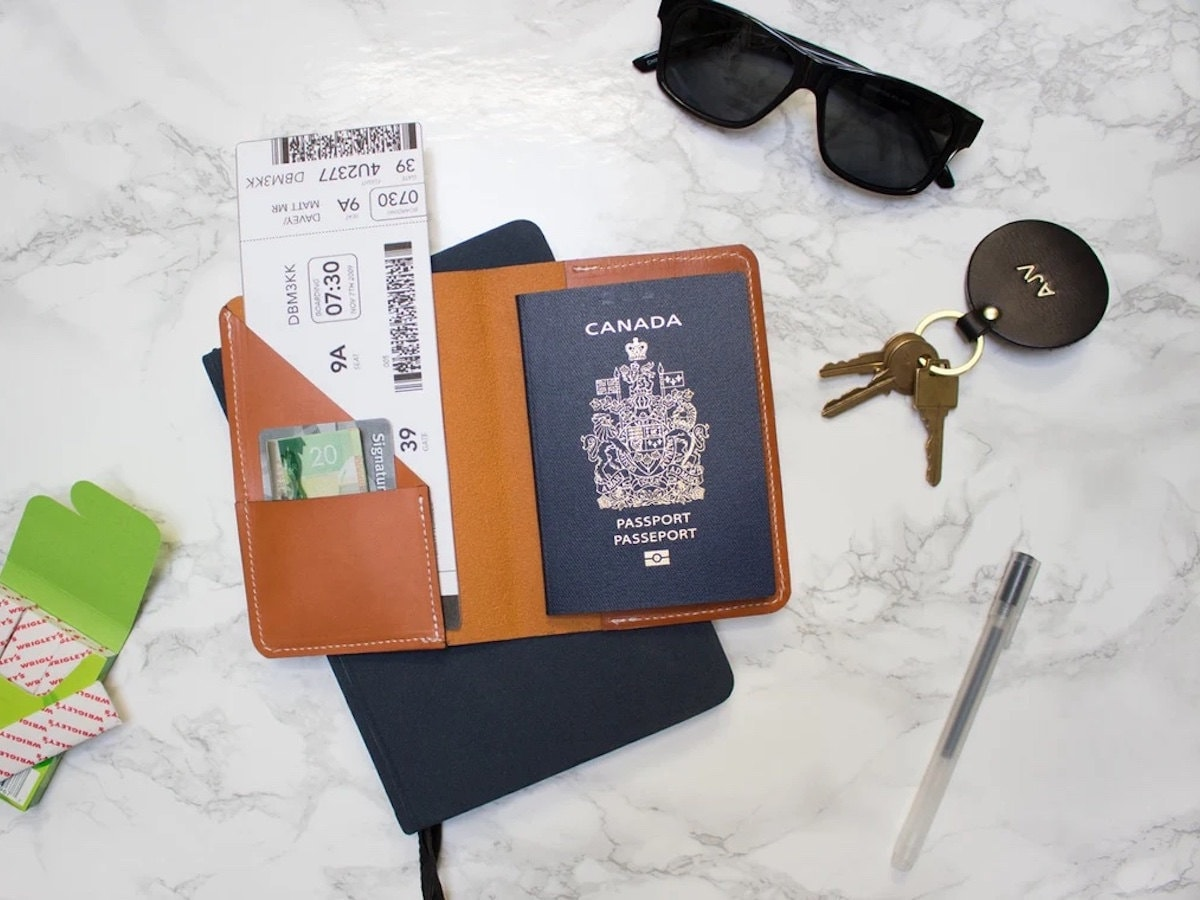
A significant portion of Etsy’s travel accessory market relies on personalization, such as monogrammed initials on passport holders. If the text on your listing images looks garbled, shoppers will click away. This is a common pitfall of legacy AI models. However, gpt image 2 features a major breakthrough in text rendering. With an accuracy rate exceeding 95%, gpt image 2 can render clean, readable, and perfectly aligned text on leather and canvas surfaces.
For example, if your prompt specifies a leather luggage tag embossed with the initials ‘J.D.W.’, gpt image 2 will render those letters with precise depth and spacing. This precision ensures that your product mockups look like finished, physical items rather than digital fabrications.
The second non-negotiable is scale accuracy. A canvas duffel bag must look like it can fit in an overhead bin, and a passport holder must look pocket-sized. When using gpt image 2 to generate lifestyle scenes, you must ensure that the proportions between the product, the environment, and any human models remain realistic. If a passport holder appears as large as a laptop, the image fails the quality test. By integrating gpt image 2 into your design workflow via Pikvee, you can maintain control over these proportions, ensuring that every generated asset represents the physical product accurately.
Acceptable Trade-Offs: Background Complexity vs. Product Focus
While text and scale are non-negotiable, other elements of your listing images allow for acceptable trade-offs. Understanding these trade-offs is key to maintaining a fast production workflow without sacrificing conversion rates.
One acceptable trade-off is background complexity. While it is tempting to generate highly detailed travel backdrops—such as a bustling train station in Tokyo—too much detail distracts from the product. The primary goal of your listing image is to sell the travel accessory, not the destination. When prompting gpt image 2, it is better to trade background sharpness for a soft depth-of-field effect (bokeh). By instructing the model to blur the background slightly, you keep the focus on your canvas duffel bag or passport holder. Deploying the generator in this manner maintains the travel atmosphere without sacrificing product visibility.
Another trade-off involves lighting variations. While you want your product colors to be accurate, slight shifts in ambient lighting (such as the warm glow of a sunset or the cool tones of a rainy day) are acceptable if they enhance the emotional appeal of the image. The key is to ensure the product’s primary color remains recognizable. With gpt image 2, you can test how your travel accessories look under different lighting conditions. This flexibility lets you select the variations that feel most authentic to the travel experience without distorting the product’s true appearance.
The Multi-Device Acceptance Framework for Listing Images
Before uploading any generated image to Etsy, it must pass a multi-device acceptance check. Over 60% of Etsy shoppers browse using mobile devices, meaning an image that looks stunning on a desktop monitor might fail to convert on a phone screen.
To implement this check, you need a structured acceptance method. Perform the following checks for every image:
- Thumbnail Visibility Check: Shrink the image to a 1:1 or 4:3 square. Is the travel accessory clearly identifiable, or does the background swallow it?
- Artifact Inspection: Zoom in to full resolution. Check for floating straps, distorted zippers, or unnatural hand shapes on human models.
- Text Accuracy Check: Ensure any initials or custom text are sharp, readable, and spelling-perfect.
- Scale and Proportion Check: Verify that the size of the luggage tag or passport holder looks realistic compared to its surroundings.
When you generate images with gpt image 2, you should always test how the thumbnail renders on a standard mobile preview. Because the model natively supports up to 2K resolution, your exported assets will remain incredibly crisp even when cropped or viewed on high-density smartphone screens. While gpt image 2 has significantly reduced visual errors compared to older models, minor anomalies can still occur. A quick visual inspection ensures these do not slip through to your live listings.
To make this process actionable, here is a practical prompt template you can use with gpt image 2 to generate high-quality, high-focus travel accessory scenes:
A high-resolution product photo of a personalized leather passport holder with the initials ‘A.M.’ embossed in gold. The passport holder is resting on a clean wooden table next to a ceramic coffee cup. In the background, a slightly blurred, modern airport terminal lounge is visible through large windows, creating a soft depth-of-field effect. Natural, warm morning light, realistic textures, 4:3 aspect ratio.
By utilizing this prompt structure in gpt image 2, you minimize background distractions and ensure the focus remains on the product’s design and personalization details.
Building a Consistent Scale-Up System with gpt image 2
Scaling an Etsy store requires launching new products and updating existing listings quickly. However, manual photography for every color variant or seasonal campaign is a major bottleneck. To overcome this, sellers must build a consistent visual system that allows them to scale up production without losing brand identity.
A successful scale-up system relies on style consistency. If your brand identity is clean, minimalist, and modern, your lifestyle images must reflect this across all SKUs. When you use gpt image 2, you can achieve this by maintaining a consistent set of style descriptors in your prompts. Whether you are generating images for a leather passport holder, a canvas duffel bag, or a travel organizer, keeping the lighting, color palette, and environmental themes consistent ensures your shop front looks cohesive.
Pikvee simplifies this process by allowing sellers to save successful prompt structures and apply them across different product lines. Instead of starting from scratch for every new listing, you can reuse your proven gpt image 2 templates, swap out the product details, and generate a new set of high-converting visuals in seconds. To scale up your Etsy visual production, follow this simple workflow:
1. Define the Base Prompt: Create a prompt specifying the style, lighting, and camera angle.
2. Generate the Core Assets: Use gpt image 2 to generate the primary product scenes.
3. Apply Variations: Swap product colors or personalization details while keeping the environment consistent.
4. Batch Export: Use Pikvee’s interface to organize and export the listings for Etsy.
This structured approach to visual production not only saves time but also builds a stronger, more recognizable brand on Etsy. By deploying gpt image 2 at scale, you can refresh your entire catalog for seasonal promotions in a fraction of the time.
In the competitive world of Etsy e-commerce, visual quality is the ultimate differentiator. By establishing clear non-negotiables, understanding acceptable trade-offs, and implementing a rigorous multi-device acceptance framework, travel accessories sellers can elevate their listing images to a professional standard. With the advanced rendering capabilities of gpt image 2 and the workflow efficiency of Pikvee, creating high-converting, photorealistic lifestyle visuals is no longer a luxury reserved for big brands. By adopting gpt image 2, you turn visual content creation from a bottleneck into a competitive advantage for your Etsy store.